Managed environments inside the course
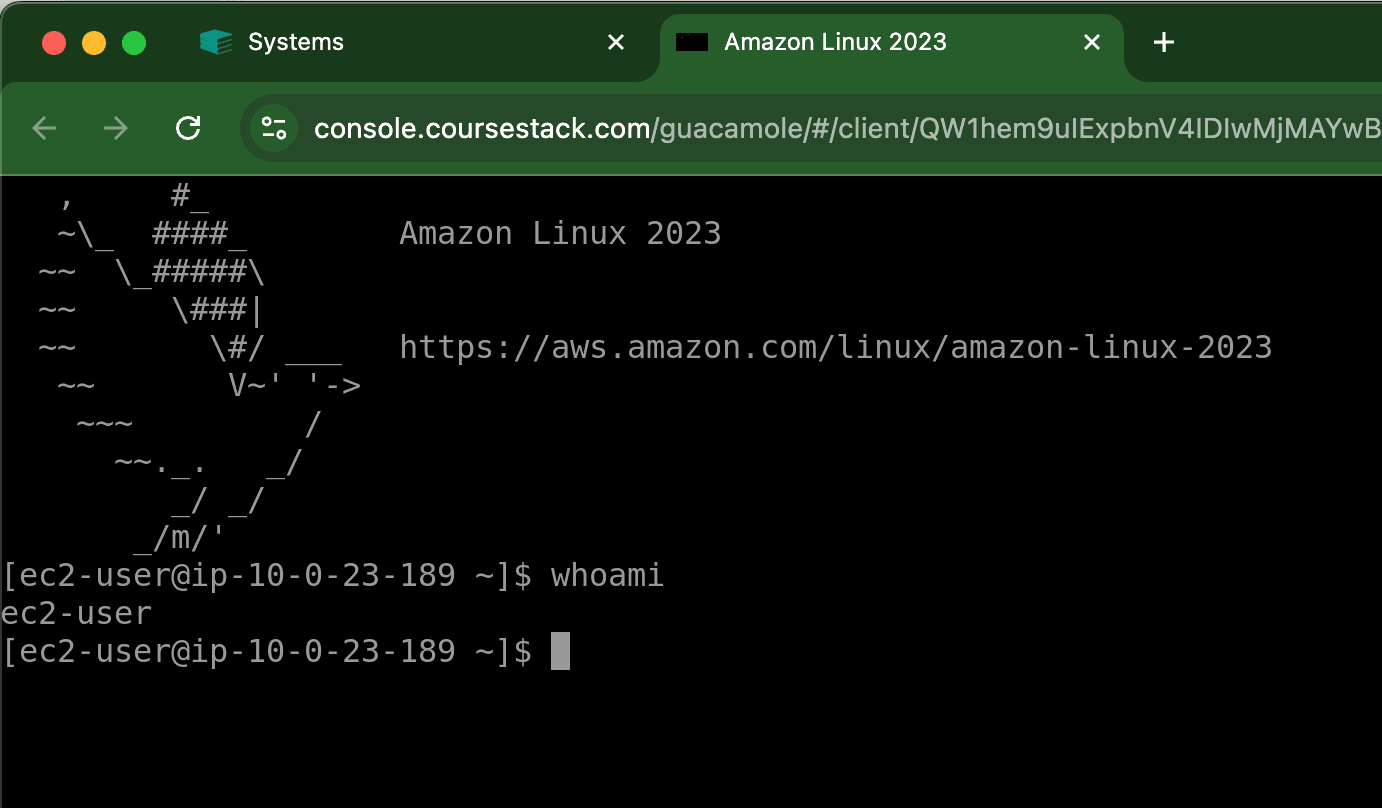
Browser-based Linux and Windows VMs, custom images, multi-machine networks, VS Code workspaces, Jupyter notebooks, and student VPN access can sit beside course content.
Platform comparison · 2026
A decision guide for educators comparing conventional course commerce with managed hands-on technical training infrastructure.
Verdict
CourseStack is the stronger choice for hands-on technical training when teams need managed browser-based labs, multi-machine environments, and course, workshop, or CTF delivery on one platform. Teachable may be a better fit for general-purpose creators selling conventional courses who prioritize a drag-and-drop builder, mobile apps, and managed global payment and tax tooling.
Build your first course freeDecision shortcut
Choose CourseStack when students must use real VMs, networks, code workspaces, notebooks, or hosted challenges as part of the training.
Choose Teachable when your main product is a conventional video, text, coaching, membership, or download experience and managed global commerce matters most.
At a glance
Both products create and sell courses. The meaningful difference is whether the training needs managed computing infrastructure.
| Criterion | CourseStack | Teachable | Bottom line |
|---|---|---|---|
| Best fit | Technical courses, workshops, cohorts, and CTFs that need managed computing environments. | General-purpose courses, coaching, memberships, communities, and digital downloads. | The required training environment should decide the platform. |
| Course creation | Markdown-based technical content, quizzes, exams, certificates, AI-assisted authoring, and labs embedded in lessons. | Drag-and-drop course builder, video, audio, text, files, quizzes, drip content, certificates, and AI creation tools. | Teachable is more approachable for conventional course creation; CourseStack specializes in technical content. |
| Hands-on labs | Native browser VMs, custom images, multi-machine networks, VS Code workspaces, Jupyter notebooks, and student VPN access. | Native managed technical lab infrastructure is not listed in the reviewed public product or pricing pages. | CourseStack includes the lab layer; Teachable would require an external lab system or custom integration. |
| Live delivery | Live events with preconfigured per-attendee environments; courses, workshops, and CTFs share one platform. | Self-paced by default; live delivery can use embeds such as Zoom, YouTube, or Vimeo. | Both can support live instruction, but CourseStack includes the technical environments. |
| Commerce | Stripe Connect checkout, custom domains, coupons, bundles, subscriptions, and 0% CourseStack platform transaction fees. | Teachable Payments, local payment methods, tax handling, payouts, upsells, affiliates, and plan-dependent transaction fees. | Teachable provides broader managed commerce; CourseStack keeps the platform transaction fee at 0%. |
| Integrations | REST API, webhooks, and LTI; availability varies by plan. | App Hub, Zapier, webhooks, and public API with plan-based limits. | Both integrate with other systems; CourseStack’s distinction is its native lab and CTF infrastructure. |
| Support | Exact standard hours and tier-by-tier SLAs are not published on the reviewed pages. | Messenger and email; published support hours are Monday–Friday, 8 a.m.–8 p.m. ET; no phone support. | Confirm support requirements during evaluation, especially for live-event operations. |
| Pricing model | Platform plan plus lab capacity and runtime credits. | Subscription tier based on products, users, integrations, and sales features. | Teachable starts lower; CourseStack pricing includes managed lab capacity that Teachable does not. |
CourseStack’s strengths
CourseStack brings the instructional content and the runnable technical environment into one operating layer.
See how CourseStack approaches virtual labs for technical training or review the native CTF workflow.
Browser-based Linux and Windows VMs, custom images, multi-machine networks, VS Code workspaces, Jupyter notebooks, and student VPN access can sit beside course content.
The same platform can deliver self-paced technical courses, live workshops with preconfigured participant environments, and CTFs with hosted challenges, scoreboards, and teams.
CourseStack combines instructional content, assessments, analytics, payments, APIs, webhooks, LTI, lab provisioning, and CTF infrastructure.
“I would wait weeks to get a response ... Once I switched to CourseStack, the average response time from their team is in minutes (not days). They also act more like business partners rather than a generic platform.”
Tyler Ramsbey
Founder, Hack Smarter
Where Teachable may fit better
Teachable may be the better option when visual course setup and managed global commerce matter more than native technical lab infrastructure.
Teachable fit 1
Teachable’s drag-and-drop builder is designed for creators publishing video, audio, text, files, quizzes, coaching, memberships, and downloads without assembling a technical stack. Its iOS and Android student apps add a native mobile path for conventional course consumption.
Teachable fit 2
Teachable Payments supports local payment methods, payouts, fraud tooling, and automated sales-tax, VAT, and GST handling. That is a meaningful advantage when selling conventional learning products across countries is the main operational challenge.
Workflow comparison
01
CourseStack supports paid courses, subscriptions, bundles, certificates, custom domains, and branded checkout, with additional value when the curriculum requires runnable technical systems. For standard lessons, coaching, memberships, or downloads without labs, Teachable may be the simpler fit.
02
CourseStack provisions managed environments for each student, including isolated VMs and networks. Teachable’s reviewed public feature set does not list an equivalent native lab layer, so teams would need to evaluate a separate lab vendor or custom integration.
03
Teachable can embed third-party live video tools and use drip content for cohort delivery. CourseStack adds preconfigured participant environments for live sessions and a native CTF workflow with hosted challenge infrastructure.
Pricing
The published prices are not like-for-like, so the useful comparison is the total operating model.
CourseStack · billed annually
$79/ month
First-course example: 25 labs/month, 250 runtime credits/month, three creator seats, custom branding, and 0% CourseStack platform transaction fees.
Teachable · billed annually
Starter
$29/mo
Builder
$69/mo
Growth
$139/mo
Advanced
$309/mo
Starter carries a 7.5% platform transaction fee. Builder, Growth, and Advanced list 0% platform transaction fees with eligible Teachable gateways. Payment processing and optional service fees can still apply.
Teachable is cheaper when no lab layer is needed. CourseStack pricing includes managed lab capacity and runtime credits; compare total costs when a separate lab provider, cloud environments, or internal DevOps would otherwise be required. Use the CourseStack pricing calculator for the current configuration.
Best fit
Choose CourseStack when
Choose Teachable when
FAQ
CourseStack is better than Teachable for hands-on technical training that needs managed VMs, networks, code workspaces, notebooks, workshops, or CTFs. Teachable is better for general-purpose creators who prioritize a visual builder, mobile apps, and managed global commerce for conventional learning products.
CourseStack combines course delivery with managed technical lab and CTF infrastructure. Teachable focuses on creating and selling conventional courses, coaching, memberships, communities, and downloads, with strong payment, tax, mobile, and sales tooling.
Teachable is cheaper at the listed entry price, starting at $29 per month billed annually. CourseStack starts higher because its pricing includes managed lab capacity and runtime credits. The cheaper total option depends on whether you would otherwise need a separate lab provider or cloud infrastructure.
CourseStack can replace Teachable for technical educators who need courses, payments, assessments, and hands-on environments in one platform. It may not be the right replacement for creators whose priority is Teachable’s broader conventional product types, native mobile apps, or managed international tax workflow.
General-purpose creators should choose Teachable instead when they primarily sell video, text, coaching, memberships, communities, or downloads and value quick visual setup, mobile course access, and managed global payments more than native technical lab infrastructure.
Evidence
First-party sources establish product capabilities and pricing. Independent review sources are used only for sentiment about usability and support.

Ready to test the fit?
Create a technical course and launch a browser-based environment before choosing a paid configuration.